

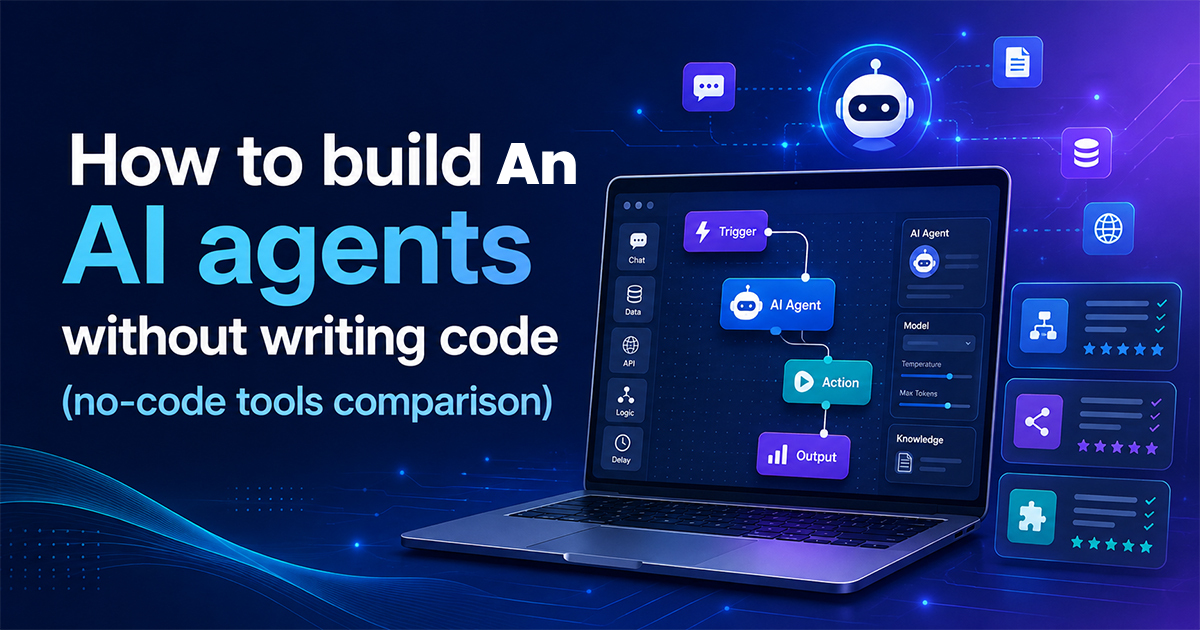
How to Build An AI Agents Without Writing Code?
You don’t need to know Python to put a working AI agent into production anymore. The tools that used to require a developer wiring an AI model into your inbox, your CRM, and your support queue now ship with drag-and-drop builders that a non-technical team can learn in an afternoon. That’s the real appeal of no code AI agents: genuine automation, without a six-week engineering backlog standing between you and shipping it.
This guide walks through how to build AI agents without writing code, compares the platforms actually worth considering right now, and points out a few trade-offs the marketing pages tend to leave out.
What counts as a “no-code AI agent”?
It’s worth clearing up before you pick a tool, because the term gets used loosely. A classic automation (Zapier’s original “when this happens, do that” Zap) follows a fixed rule: trigger, then action, every time, the same way. An AI agent adds a reasoning step — it can look at unstructured input, decide what to do next, and take a different action depending on what it finds, rather than following one rigid path.
In practice, most no-code platforms now sit somewhere on a spectrum between the two: simple triggered workflows with an AI step bolted in at one end, and persistent agents that monitor data and act on their own at the other. Which end you need depends entirely on the job you’re automating which is why step one below matters more than which tool has the nicest interface.
Five Steps of How to Build an AI Agents Without Code
1. Get specific about the job before you touch a tool.
“Automate customer support” isn’t a build spec. “Answer shipping-status questions from our Shopify order data and hand off anything about refunds to a human.” The narrower your definition, the easier it is to tell which platform actually fits — and the easier it is to know, later, whether the thing you built is actually working.
2. Match the platform to that job, not the other way around.
This is where most people lose time: picking a popular tool first and bending their workflow to fit it. Each platform below has a genuinely different centre of gravity.
ToolBest for Starting Price and Learning Curve. Zapier Teams already using Zaps who want to add AI steps and agents without switching platforms Free tier (100 tasks/mo, basic AI); full AI Step, Copilot, and Agents from ~$19.99/mo. Low-code, visual, non-technical teams who want fast setup and a polished builder-free tier; paid plans are from ~$9/mo, billed per operation. Low–medium 8n technical teams who want deep control, self-hosting, or data privacy Free if self-hosted (just server cost); cloud plans from ~$20/mo, billed per workflow execution. Medium–high. Voiceflow. Design/CX teams building chat or voice agents, mapped out visually Free tier; paid plans scale with usage. LowBotpress teams with at least some developer support who want custom logic and API access. Free tier; paid plans from roughly $49/mo. Medium Taskade Small teams or solopreneurs who want agents built into a project-management workspace Free tier; paid plans are roughly $6–16/mo per user. Low
A couple of things worth knowing before you pick from this list. Zapier and Make both count “how much you use it” differently from n8n — Make bills per operation (each step in a workflow), so a five-step automation running a few thousand times a month can burn through a plan fast. n8n bills per full workflow execution regardless of how many steps are inside it, which tends to be cheaper at high volume but comes with a steeper setup curve, especially if you self-host. Voiceflow and Botpress overlap heavily—the real dividing line is whether a designer or a developer is going to own the build day to day. And pricing on all of these changes often enough that you should treat the numbers above as a starting point, not a quote — check each vendor’s current pricing page before you budget.
3. Connect your existing apps
No-code AI agents are only as useful as the systems they can see. Most of the platforms above support integrations across hundreds (Voiceflow and Botpress) to several thousand (Zapier and Taskade via Zapier/Make) apps, so before building anything, confirm your CRM, helpdesk, spreadsheet, or messaging tool is actually on the list — and check whether the integration is a full read/write connection or a limited one.
4. Test with real inputs before it touches a real customer.
Feed the agent messy, ambiguous, and edge-case inputs – not just the clean examples you used while building it. This is the step people skip under deadline pressure, and it’s the one most likely to save you from an agent confidently giving a customer the wrong answer in production.
5. Deploy, then keep watching it.
Shipping isn’t the finish line. AI steps can behave differently as the underlying model updates, as your data changes shape, or as edge cases you didn’t test for start showing up. Most platforms now offer some form of logging or run history — check it regularly for the first few weeks rather than assuming it’ll keep working the way it did on day one.
Where no-code genuinely helps
-
Speed — a working agent in hours or days instead of a development sprint, thanks to templates and visual builders.
-
No developer hire required — useful for founders and small teams who don’t have engineering headcount to spare.
-
Lower upfront cost — free tiers and low monthly plans instead of a developer’s salary.
-
Fast integrations — pre-built connectors mean you’re not writing API code to link two apps together.
Where it falls short
-
A customisation ceiling. Templates and drag-and-drop blocks cover most common cases well, but unusual logic or a very specific edge case can hit the limits of what the builder allows — at which point some platforms let you drop into a small code step, and others don’t.
-
You’re depending on someone else’s platform. Your automation lives inside a vendor’s infrastructure. If they change pricing, sunset a feature, or have an outage, your workflow is affected along with it — worth factoring in for anything customer-facing.
-
Costs that don’t scale the way you’d expect. A workflow that looks cheap in testing can get expensive once it’s running thousands of times a month, especially on per-operation pricing models. Model your actual expected volume against a platform’s pricing before committing, not just the free-tier numbers.
Frequently asked questions
Can I really build a working AI agent with zero coding experience?
Yes, for a fairly wide range of tasks, a trigger, AI step, and action are achievable entirely visually on any of the platforms above. More unusual logic sometimes needs either more time spent in the builder or an occasional small code step, which most tools allow without requiring you to be a developer.
What’s actually different between a chatbot and an AI agent?
A chatbot mostly follows a conversation script and answers questions. An agent can take actions – looking something up, updating a record, or deciding what to do next based on what it finds – rather than just replying.
Which no-code AI tool is cheapest to start with?
Most of the platforms above have a usable free tier, so the entry cost is close to zero. The real cost differences show up at volume, not at signup, which is why it’s worth modelling your expected usage rather than choosing based on the sticker price alone.
Do no-code AI agents hold up for enterprise or customer-facing use?
Increasingly, yes — most major platforms have added permissioning, guardrails, and compliance certifications specifically for this. Still worth checking a platform’s security and compliance documentation directly before connecting it to anything that touches sensitive customer data.
Conclusion
Building an AI agent without writing code is a genuinely realistic option in 2026, not just a marketing claim — but “no-code” doesn’t mean “no decisions”. The platform you pick should follow from the job you’re automating, not the other way around, and it’s worth reading the pricing model as closely as the feature list before you commit. Start narrow, test with real inputs, and expand once you’ve seen it hold up.